Mark window and mark register
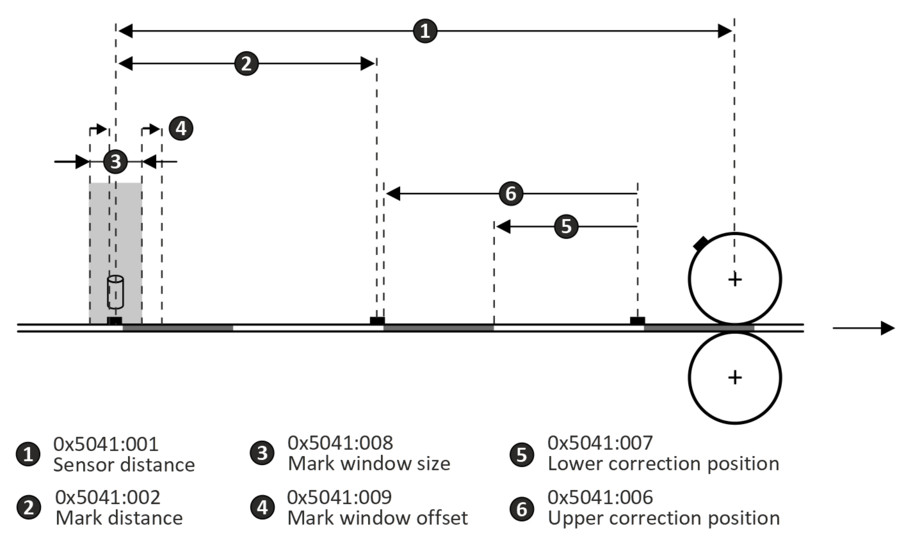
Fig. 1: Schematic pass of the print marks
A mark window can be activated so the mark sensor is not triggered unintendedly. If the parameter Activate mark window = TRUE, the window function is active. 0x5041:014
|
Address
|
Name / setting range / [default setting]
|
Info
|
|
|
0x5041:014
|
Activate mark window for master value
|
|
|
|
Bit 0
|
FALSE
|
Mark window deactivated
|
|
|
Bit 1
|
TRUE
|
Mark window activated
|
|
For the master value correction to work, the mark window must be learned. This can happen in the engaged and disengaged state:
|
Engaged
|
Master value and drive axis move
|
|
Disengaged
|
Master value moves and drive axis is immobile
|
Learn mark window in disengaged status
If the mark window is learned in the disengaged state, the corrected master value position is written to the Sensor set position parameter when the first mark is detected.  0x5042:001
At the same time, the mark window from the Mark window size parameter is placed symmetrically around the detected mark. 0x5041:008
0x5041:008Learn mark window in engaged status
If the mark window is learned in the engaged state, the mark window is activated when the first mark is detected. The register position is not set.
The mark window can be shifted to the Mark window offset parameter. 0x5041:009
0x5041:009If, due to the design, the mark sensor is positioned farther away from the tool than a mark distance, detected marks are automatically stored in a mark stack. The length of the stack is such that the mark leaves the stack one cycle (mark distance) in front of the tool and triggers a "virtual" touch probe. Afterwards the mark error is calculated. This ensures that the master value is always corrected at the right time.
If the detected mark is in cycle with the tool, it is evaluated. This means the mark sensor is virtually set to the position exactly one cycle in front of the tool.

Mount the mark sensor a maximum of 64 cycles in front of the tool.
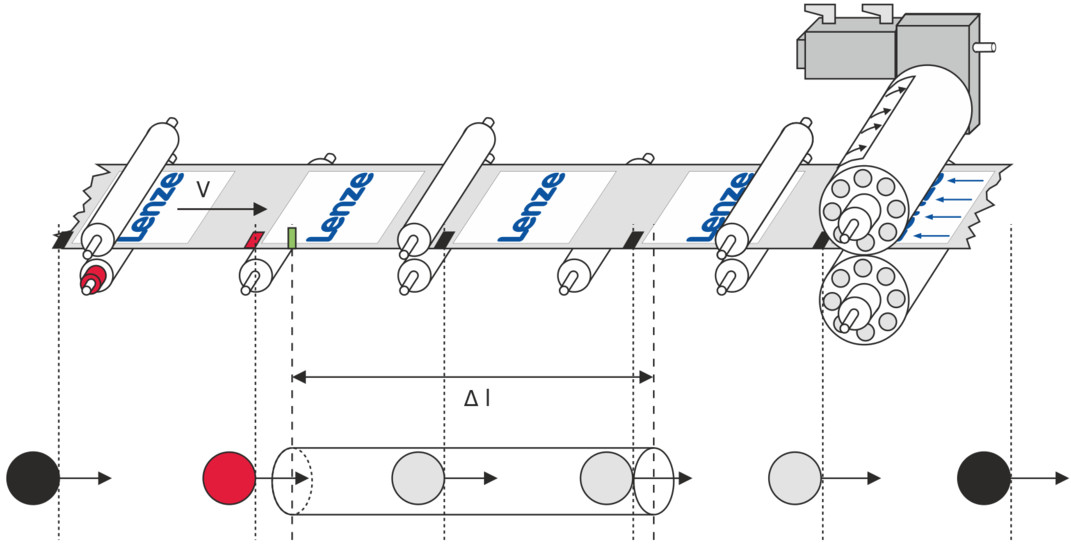
Fig. 2: Systematic representation of the mark register
Mount the mark sensor as close as possible to the tool. The further from the axis the mark sensor is mounted, the more imprecise the cuts will be.
Parameter