Configuring the "Speed Control" TA
In addition to the basic settings for kinematics and the motion functions, the technology application offers the following functions for setting up or continuously moving an axis:
The technology application can also be used for the status and error display or for resetting an error.
Settings in the »EASY Starter«:
–
Tab Settings - Parameter dialog Technology application
–
Application selection:  0x4000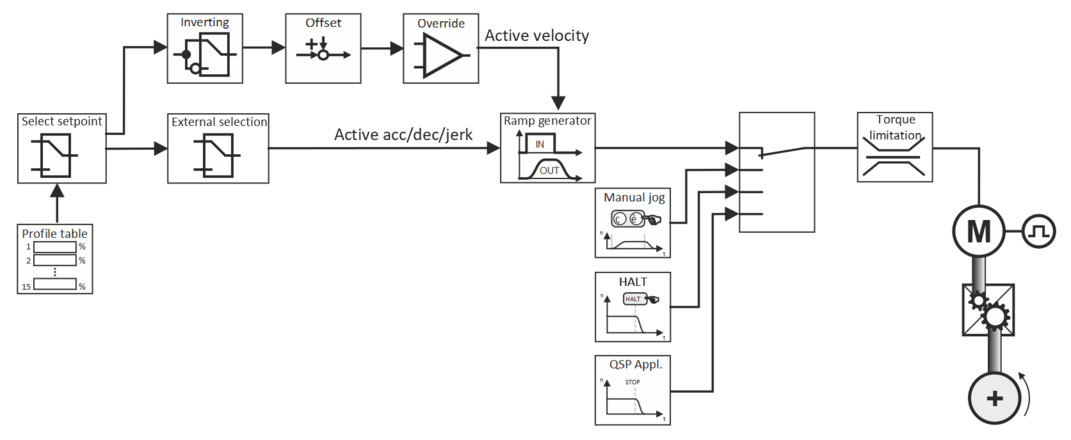
Fig. 1: Block diagram "Speed Control" technology application