Connecting the velocity offset
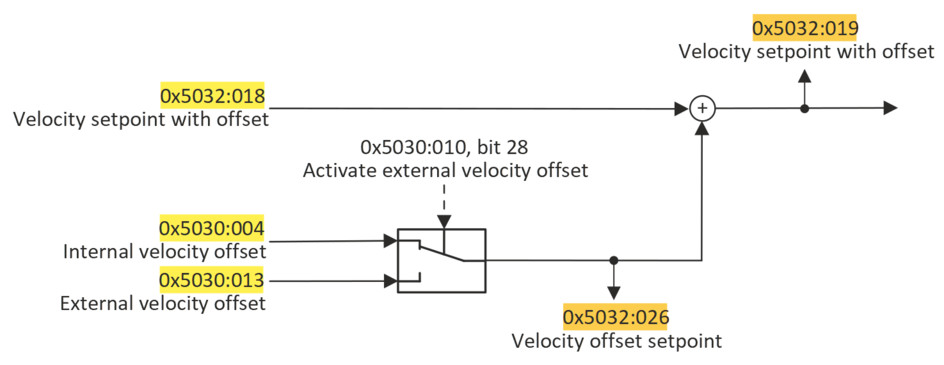
Fig. 1: Use of an external speed offset
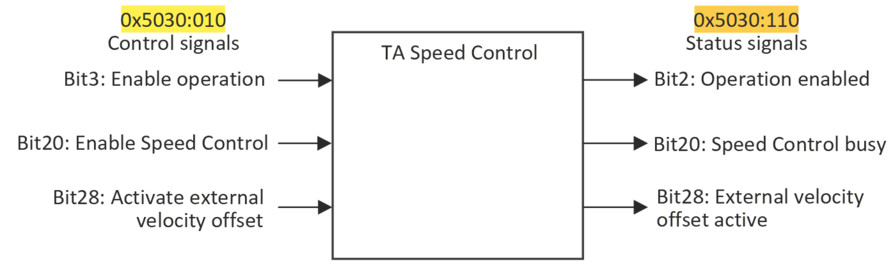
Fig. 2: Control and status bits used
Execution
There are two ways of applying a speed offset:
1.
You can use the Setpoint speed offset parameter to preselect a fixed speed offset.  0x5032:026
2.
An external speed offset is sent via the External speed offset parameter. 0x5030:013
The external speed offset is activated with control bit 28.0x5030:010 Bit 28
0x5030:013The external speed offset is activated with control bit 28.
0x5030:010 Bit 28The Setpoint speed offset parameter indicates which offset value has been selected.
0x5032:026In both cases, the value is added to the current Setpoint speed with sign speed setpoint. 0x5032:018
0x5032:018The result of the addition is indicated by the Setpoint speed with offset parameter. 0x5032:019
0x5032:019The offset values are indicated in the unit [units/s] with four decimal positions.
If, for instance, an offset of 75 [unit/s] is to be set via the External speed offset control word, the value 750000 must be sent. Status bit 28 indicates whether the speed offset is effective.
Example
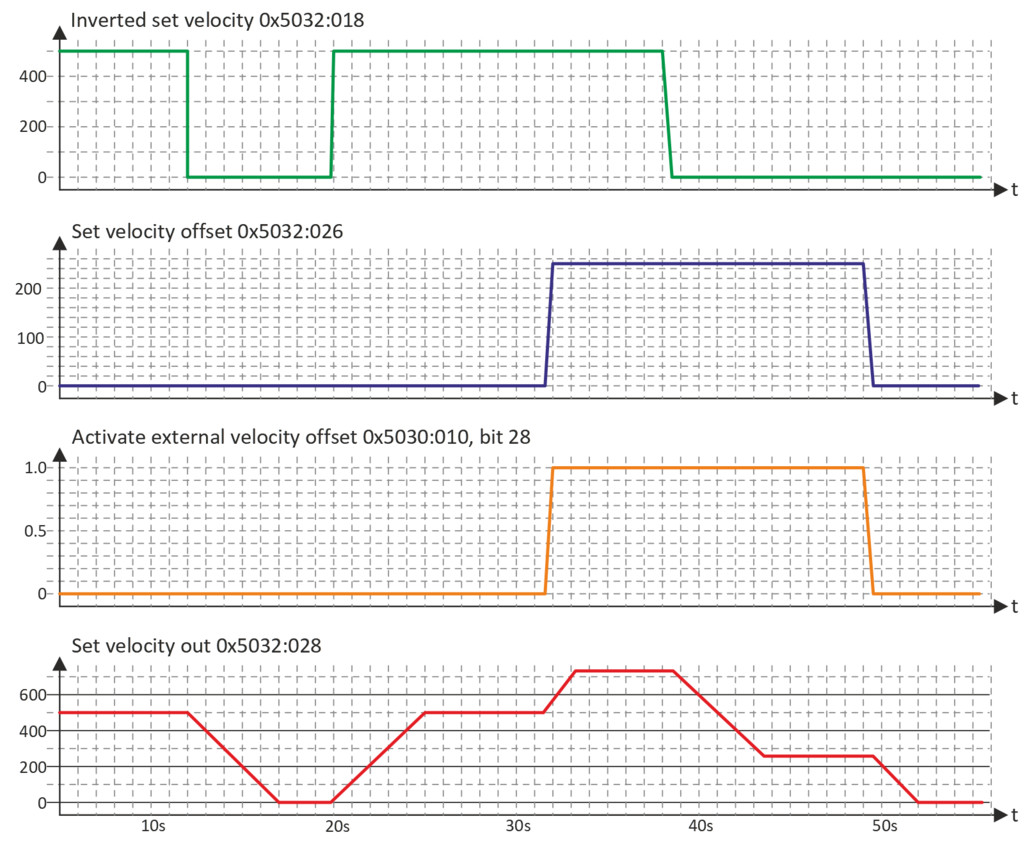
Fig. 3: Velocity offset timing diagram
In the diagram, the target velocity is 500 units/s. The axis accelerates to the specified value.
A velocity offset of 250 units/s is applied via the Setpoint velocity offset parameter. The axis accelerates to 750 units/s.
Status bit 28 indicates that the velocity offset is effective.
If the setpoint velocity is set to zero, the axis decelerates the velocity to 250 units/s. If the velocity offset is also set to zero, the axis comes to a standstill.
Parameter