Add new project languages
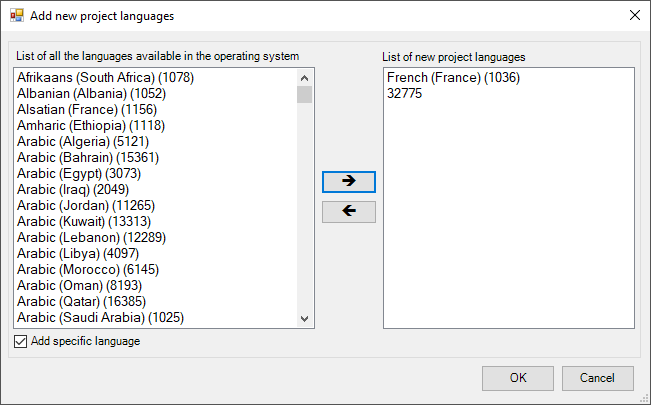
Dialog for adding a new project language.
-
List of all languages available in the operating system
-
The list shows all languages available in the operating system in alphabetical order.
For each language, the name, the country (in parentheses), and the locale identifier (LCID) (in parentheses) are displayed.
A language can be added to the list of new project languages by double-clicking or by selecting it (single click) and then clicking the right arrow button.
-
-
List of new project languages
-
These languages are added to the project when the dialog is confirmed by clicking the OK button.
A language can be removed from the list of new project languages by double-clicking or by selecting it (single click) and then clicking the left arrow button.
-