i9x0.NTP
To synchronize the time of the i9x0 Servo Inverter to a central time server, the NTP Client can be used.
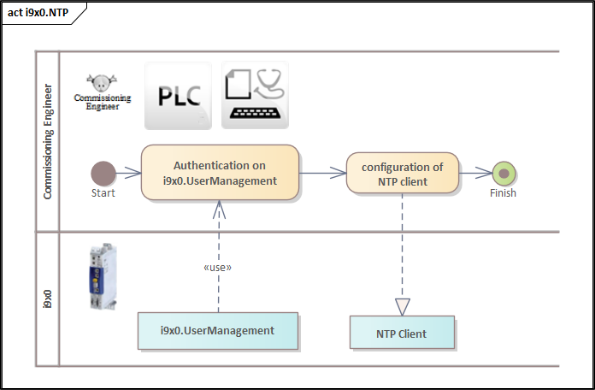
Activity Diagram
To set up the time manually, the following parameters can be used:
Parameters for configuring the datetime
|
Address |
Name /Setting Range / [Default] |
Info |
|---|---|---|
|
0x245B:002 |
System time: Current time |
This is the timedate for the main system of the i9x0. |
To change to the NTP client functionality, the following parameters are necessary:
Parameters for configuring the datetime
|
Address |
Name /Setting Range / [Default] |
Info |
|---|---|---|
|
0x245B:001 |
System time: Setting method |
Please switch from Manual input [2] to NTP server [0] |
|
0x245A:002 0x245A:003 0x245A:004 0x245A:005 |
NTP server addresses: NTP server address 1 NTP server addresses: NTP server address 2 NTP server addresses: NTP server address 3 NTP server addresses: NTP server address 4 |
NTP server addresses |
|
0x245A:001 |
NTP server addresses: Activate NTP server addr. |
Device command for activating NTP client |
After configuration, the new parameters are transferred via the device command 0x245A:001.
-
The datetime will be synchronized via the NTP client from the NTP server
* cyclic each ~ 32 seconds during operation.
An NTP client checks the quality of the NTP server. Among other things, the Leap Indicator is checked here. Here the values:
0 - Time valid, synchronized
1 - Last minute has a leap second
2 - Unsynchronized, server has no valid time
3 - Clock defective, unknown status
The i950 expects a Lead Indicator of 0.