VelocityMaster
|
|
|
|---|
Process
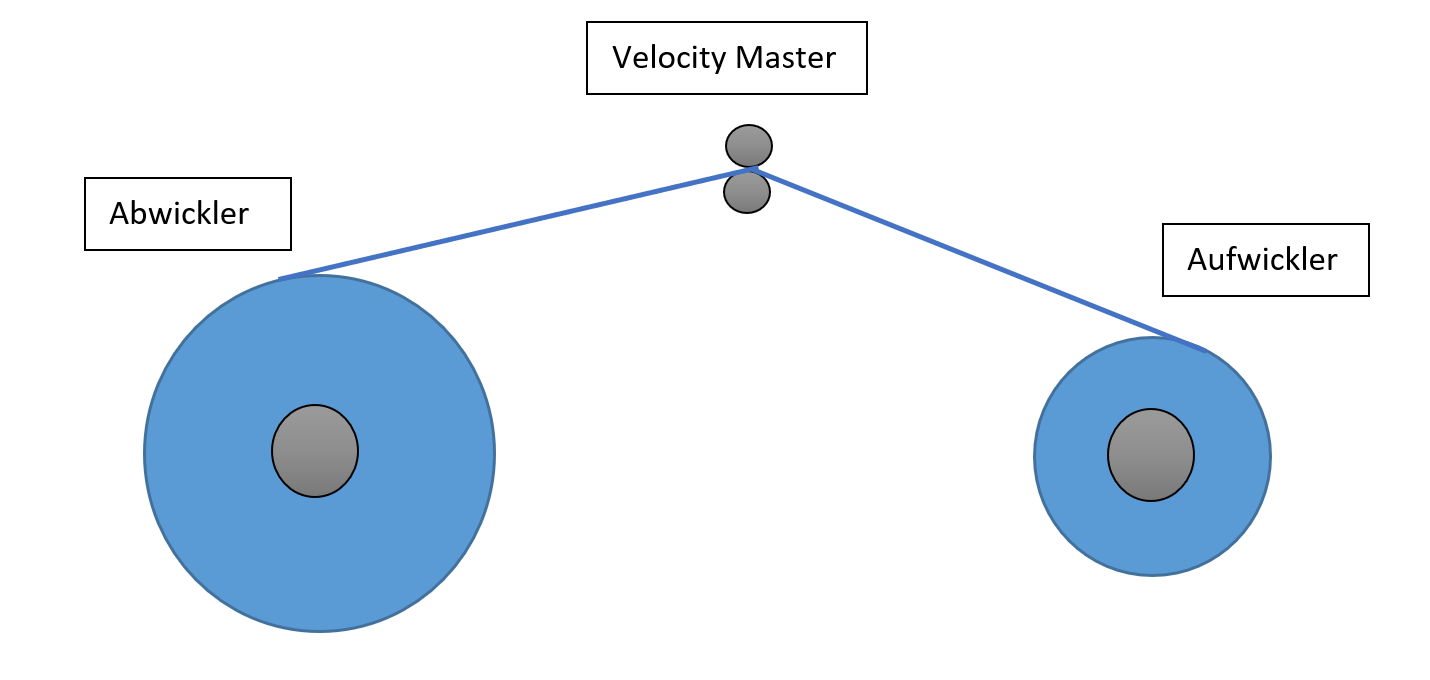
In the normal application there are 3 axes:
-
The Velocity Master axis controls the speed of the line and therefore the speed of the process.
-
The other two follow the Velocity Master and determine the tension of the material.
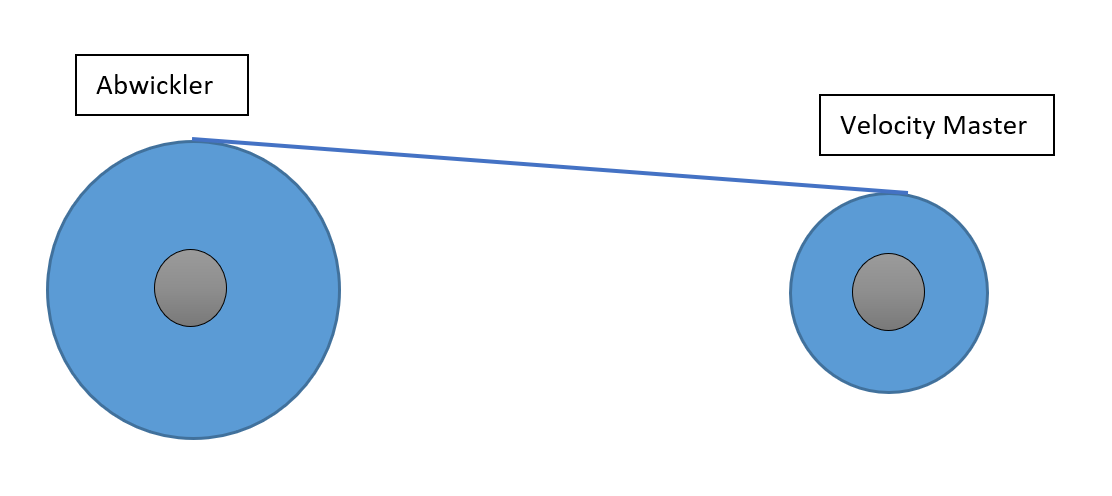
With the function VelocityMaster eDancerCtrlMode = 2 VelocityMaster the application is simplified. Here, two axes (unwinder and rewinder) are implemented:
-
The rewinder is speed-determining (speed setpoint inversely proportional to diameter).
-
The unwinder operates in tension control.
Application example:
Winding of textiles:
-
Using an inverter for simple applications.
Winding of metal / aluminum foils:
-
Use of a servo inverter to achieve precise winding.
Requirements
-
The axis is enabled (xOperationEnabled = TRUE).
-
Definition of the winder (up and down winder, material guide from top or bottom).
-
Diameter calculation defined as follows:
-
An encoder is used as the master value source for the diameter calculation (the EncoderAxisRef must be connected to the MaterialCounterValues input, which counts the material),
-
or the diameter must be loaded cyclically (xLoadDiam = TRUE),
-
or the diameter is calculated via a separate input lrLineDiamCalc.
-
If the requirements are not met, a warning is displayed. Despite the active warning, the function "Winder Master Velocity" can be enabled.
Function
-
The "velocity master" function is enabled via input xDancerCtrl = TRUE and parameter scPar.eDancerCtrlMode = 2. The output xVelocityMaster-Busy = TRUE is switched.
-
The TM switches to the state "VELOCITYMASTER.
-
The setpoint for the line speed at input lrSetLineVel is taken over cyclically for the function.
-
The resulting setpoint of the VelocityMaster at the output lrSetLineVelOut is a setpoint ramp from the setpoint at the input lrSetLineVel, formed by the profile parameters lrSyncLineAcc, lrSyncLineDec and lrLineJerk.
-
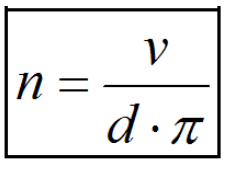
The speed setpoint of the winder axis results from the line speed lrSetLineVelOut and the current diameter:
|
Formula symbol |
Description |
Unit of measurement |
|---|---|---|
|
n Set |
Set speed for speed precontrol |
rev/s |
|
V Line |
Line speed at output lrSetLineVelOut |
mm/s |
|
d Act |
Current diameter |
mm |
The diameter must be calculated accordingly via the encoder axis. Alternatively the diameter may be transferred externally from the application to the TM via the load function xLoadDiam.
Diameter calculation
Terminating the function
There are two possibilities to terminate the function.
-
From the application
-
Via input xDancerCtrl = FALSE the function "velocity Master" is terminated. The axis is brought to a standstill via the profile parameters lrSyncLineDec and lrLineJerk.
-
-
Automatic
-
The TM terminates the operation of the velocity master automatically via the landing computer.
-