Controller.SecurityKeyService (SKS)
This functionallity is available since Controller firmware version 1.13.0.
An overview of the SKS can be found in the following figure.
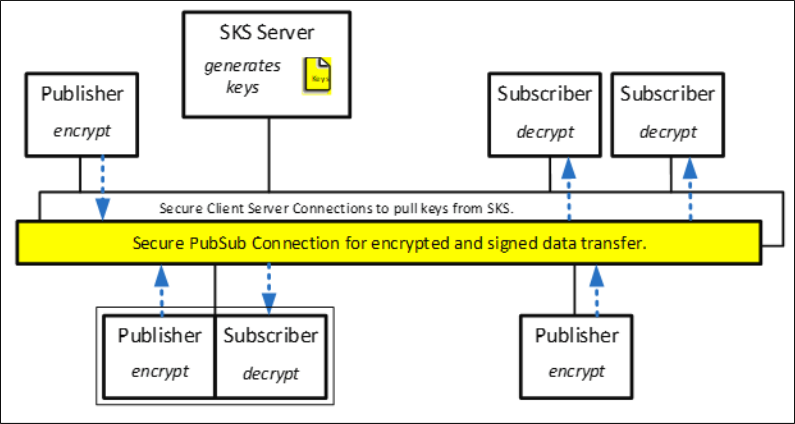
Overview
In most systems, the SKS part of the Global Discovery Server (GDS).
The access and usage of the SKS is secured by a user management with user name and password. The SKS allows you to configure different devices and tools that belong to various security groups.
Security groups define which devices and tools are allowed to exchange data with each other.In a security group, publishers send data, and subscribers receive it.Other devices and tools cannot exchange data. First, the PLC must be assigned to a security group in order to exchange data. This is done by the PLC Designer.
The user must be an admin or has to be added to the groups "PubSub" and "SKSConfiguration". The user management must be activated to use of PubSub with SKS.
To add a user to the user management, please have a look at the chapter "UserManagement".
WriteRolePermission
The WriteRolePermission defines whether a device or tool is allowed to be part of the security group.
When the security group and the permissions are parameterized to the security key service, the SKS writes back a security ID.
Configuration
Then, the configuration the security ID to the PLC. This security ID defines the security group and the permission the PLC will have for the PubSub communication.